[RPG Maker] WYSIWYG UI Editor - Skill Menu
A downloadable Plugin
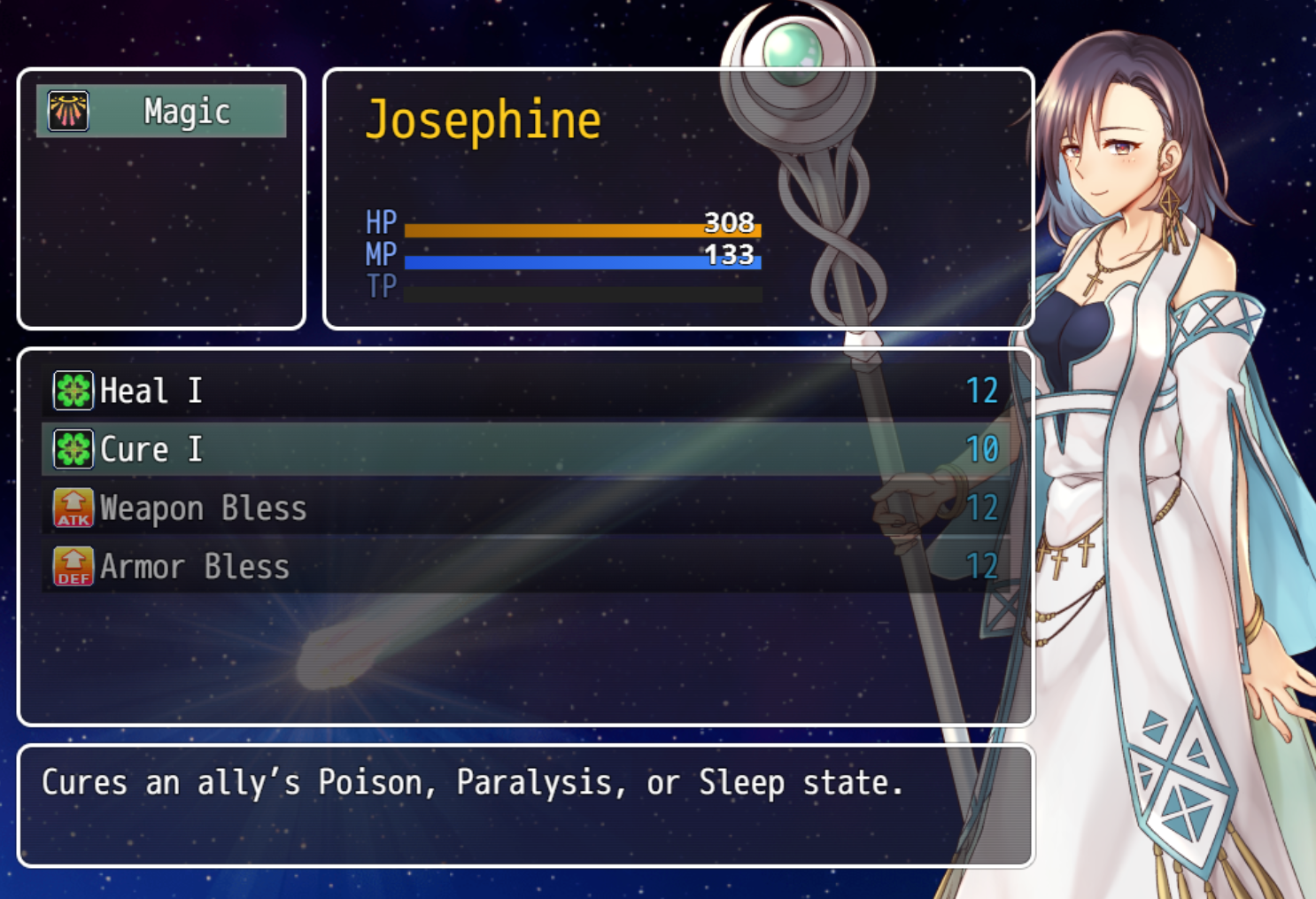
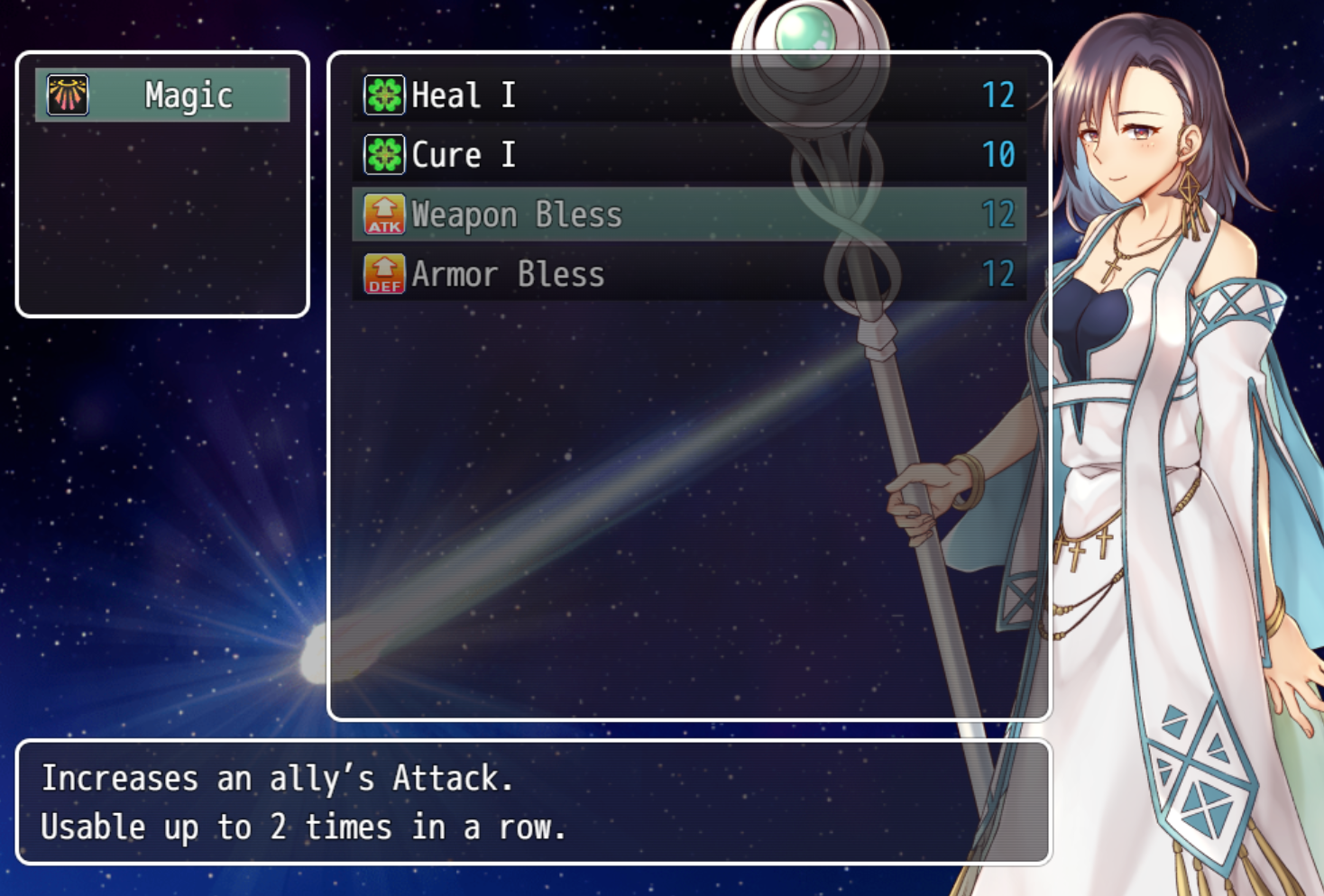
Unlike many other Plugins that allow you to customize your game's item menu, this one comes packed with a UI tool that lets you see your changes instantly!
This plugin is compatible with RPG Maker MV & MZ.
This plugin requires https://aerosys.itch.io/custom-ui (free) to work.
Features
- 9 pre-made window layouts
- Actor Portraits - even on the menu background
- Remove "Skill Types" Window - if you wish
- Freely move Actor's name, face, HP/MP/TP, and their status effects
Before you buy
This plugin is part of these two bundles - save your money!
How it works
- Include this plugin in your game
- Start your game and open the skill menu
- Press F9 (debug key) to open the new toolbox
Which engine(s) are supported?
This plugin supports RPG Maker MZ and RPG Maker MV.
Requirements
This plugin requires https://aerosys.itch.io/custom-ui (free) to work.
Compatibility
This plugin was tested with the free Visustella plugins.
Refund Policy
A refund is possible if you encounter an error or incompatibility that we cannot resolve.
Please send a message to mail@aerosys.blog.
Purchase
In order to download this Plugin you must purchase it at or above the minimum price of $8 USD. You will get access to the following files:
Comments
Log in with itch.io to leave a comment.
I’m not sure if this is a bug, but it seems like the inner spacing parameter doesn’t affect the gap between the Help Window and the other windows in the same way it affects spacing elsewhere.
For example:
When inner spacing is set to 10, the gap is 0.
When set to 20, the gap becomes 10—but the spacing between the other windows becomes 20, as expected.
So the Help Window appears to be using a different spacing calculation than the rest of the UI?
Thanks for your report.
Will be fixed as soon as possible!
The same spacing issues seems to be present in all sub scenes, not just the skills menu.
I also noticed that the window that appears when you select a skill to cast a spell on a party member is not accounted for. Would be nice if we could change that as well.
Yes, the target actor window is still on my to-do list. But it will come!
Good to know! I thought you just had missed it.
Hi i recently purchased your randomize map plugin for RPG maker MV and i noticed the Forest map does not work. saying something about a token?
I need the full error message. When you see the error, please do the following:
Please do that in the Random Maps' comment section: https://aerosys.itch.io/rng-maps
Is this compatible with yanfly plugins? I'm considering buying this cus it looks exactly like what i need.
Tested with YEP_SkillCore and works fine
consider it bought then