[RPG Maker] WYSIWYG UI Editor - Quest Log
A downloadable Plugin
Unlike many other Plugins that allow you to customize your game's item menu, this one comes packed with a UI tool that lets you see your changes instantly!
This plugin is compatible with RPG Maker MV & MZ.
This plugin requires https://aerosys.itch.io/custom-ui (free) to work.
Before you buy
This plugin is part of this bundle - save your money!
Features
- Each Quest is connected to a Quest Category and usually has multiple Objectives
- Quests and their Objectives can be unlocked, completed, or fail
- Quests and Objectives are unlocked as you, the game dev, decide, allowing you to create secret side tasks or branches
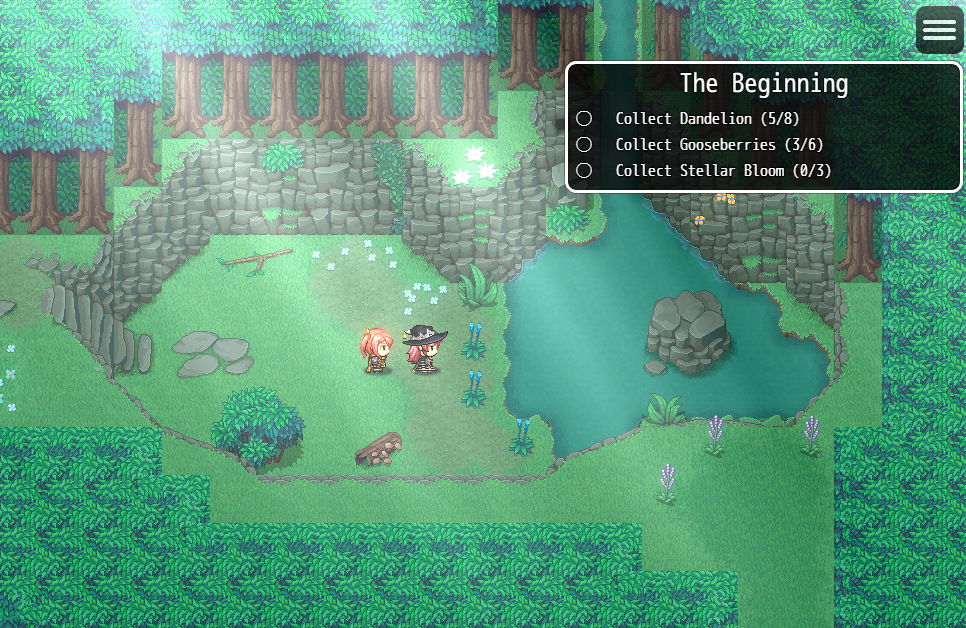
- Quests support "kill", "collect item" tasks, or track a Game Variable while tracking the player's progress
- Quests can auto-toggle ON a predefined Switch when completing, saving you a lot of eventing
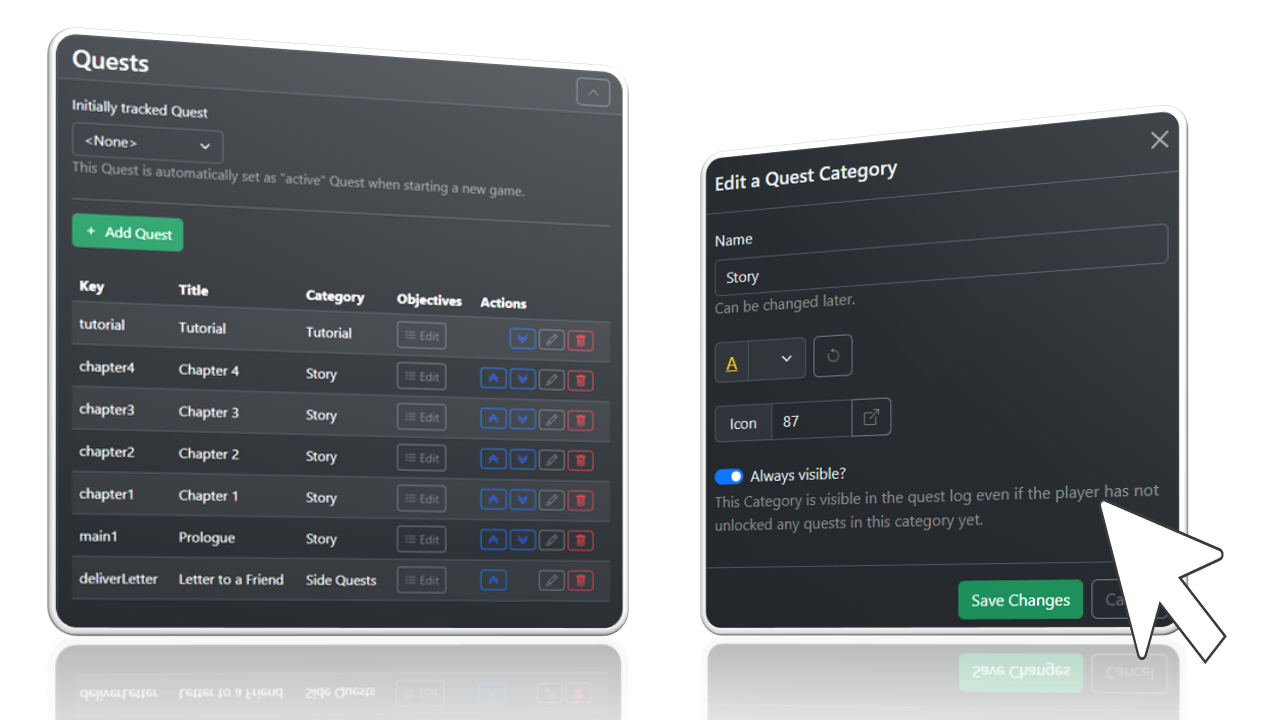
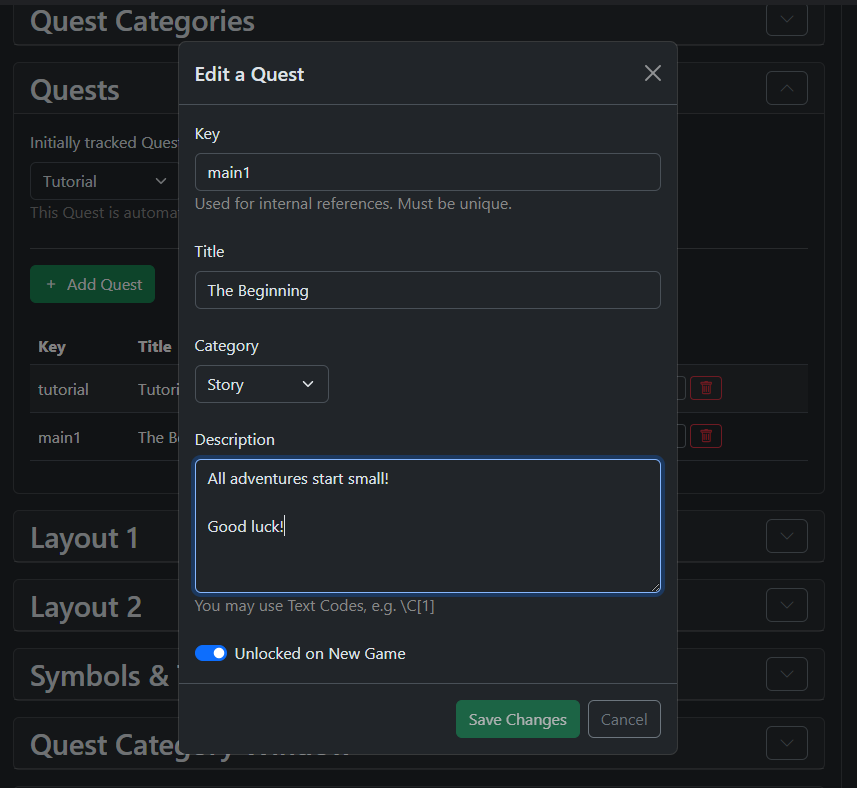
Design Quests, Categories, and Objectives in the UI
...instead of going through endless levels in the Plugin Manager
Simplifying Quests
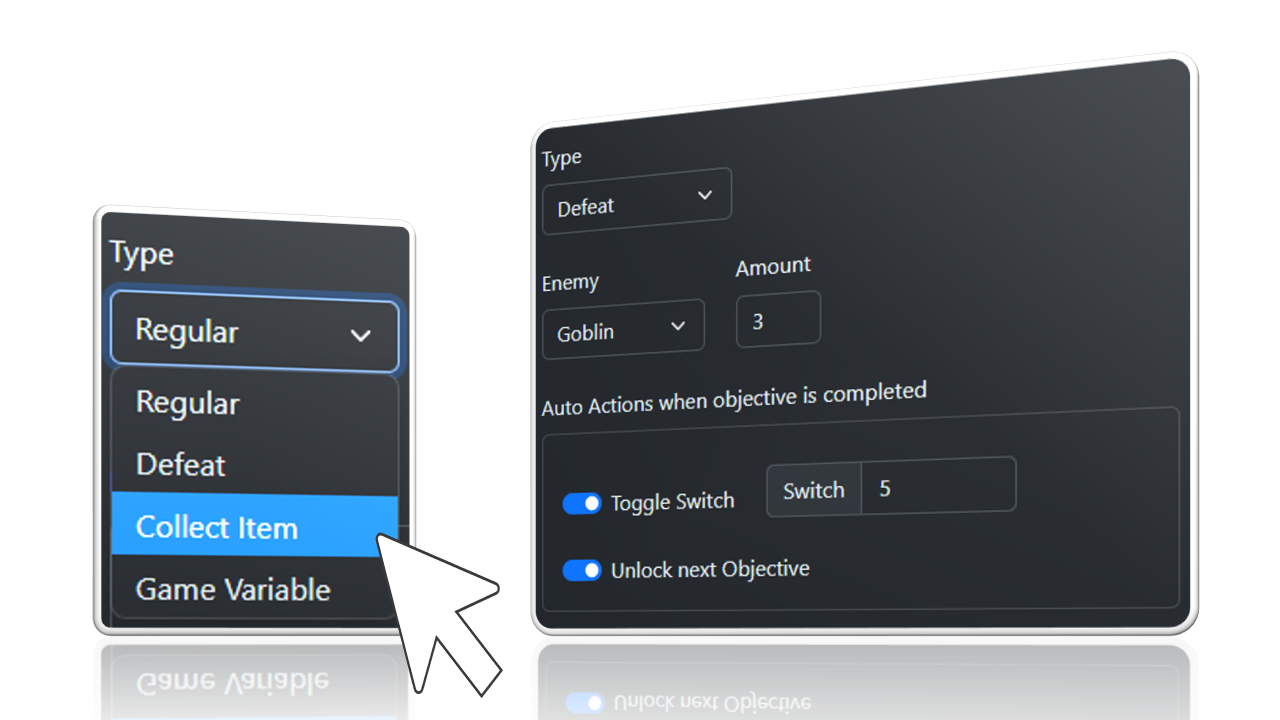
Quests understand "kill" and "collect item" tasks, or simply track a Game Variable. The plugin can automatically toggle a predefined Switch ON and unlock the next task, saving you a lot of eventing.
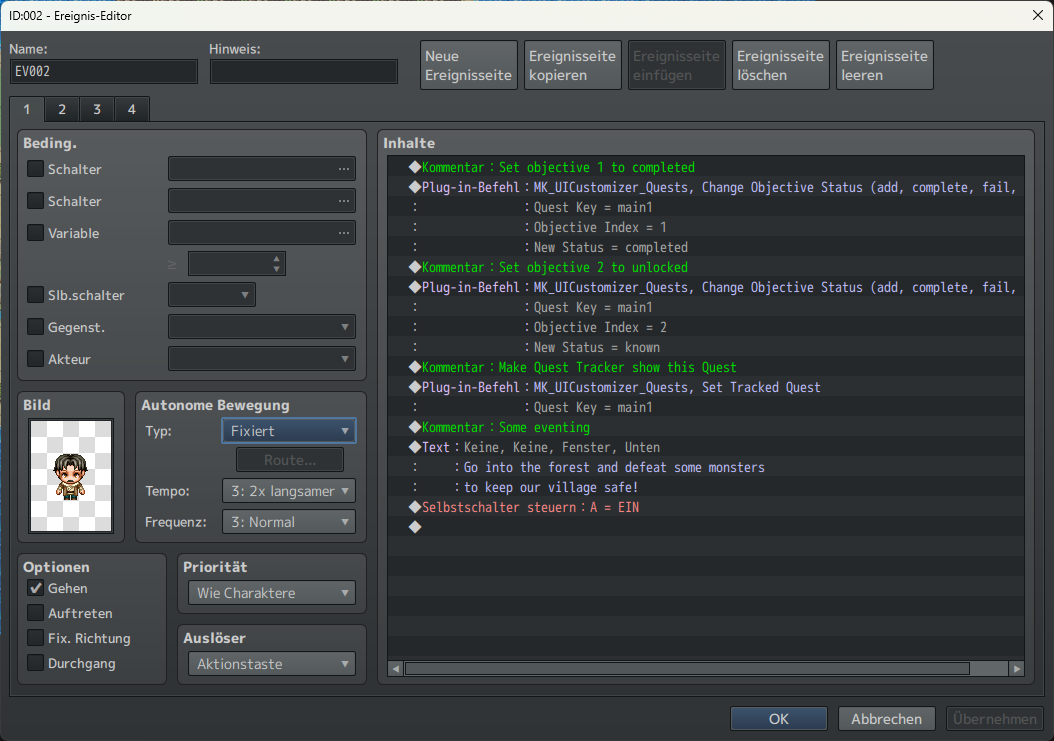
Control Progress with Plugin Commands
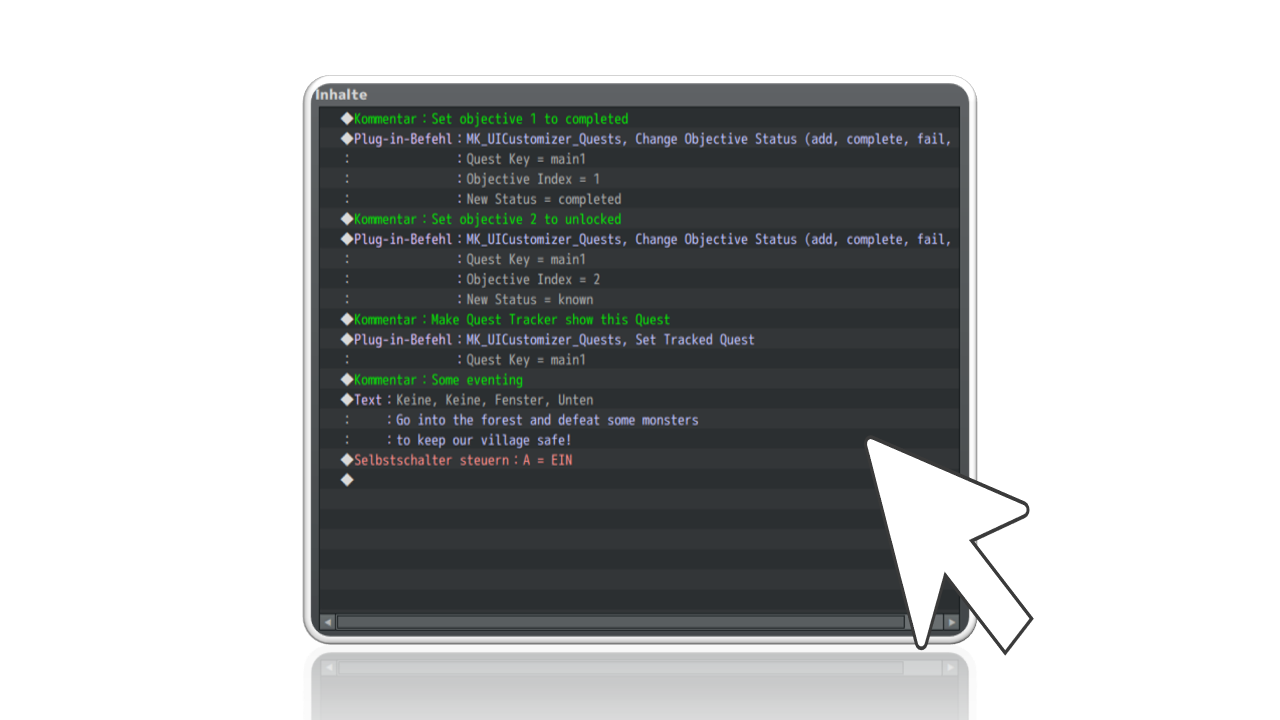
MV users find script calls here: https://aerosys.blog/quest-log
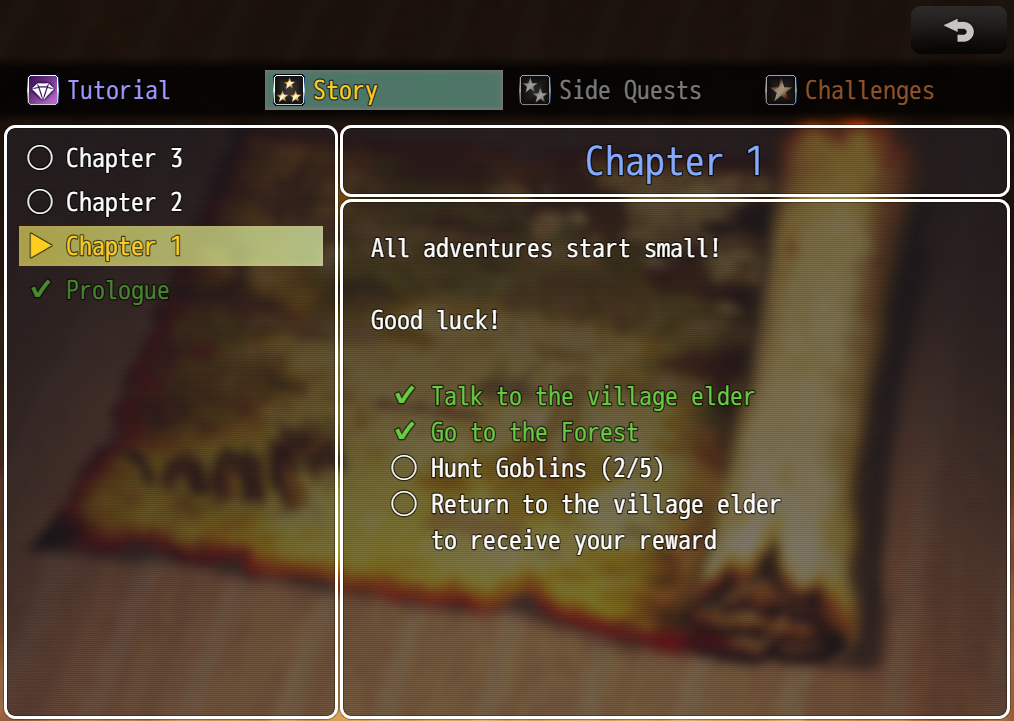
Coming with 2 pre-made Layouts
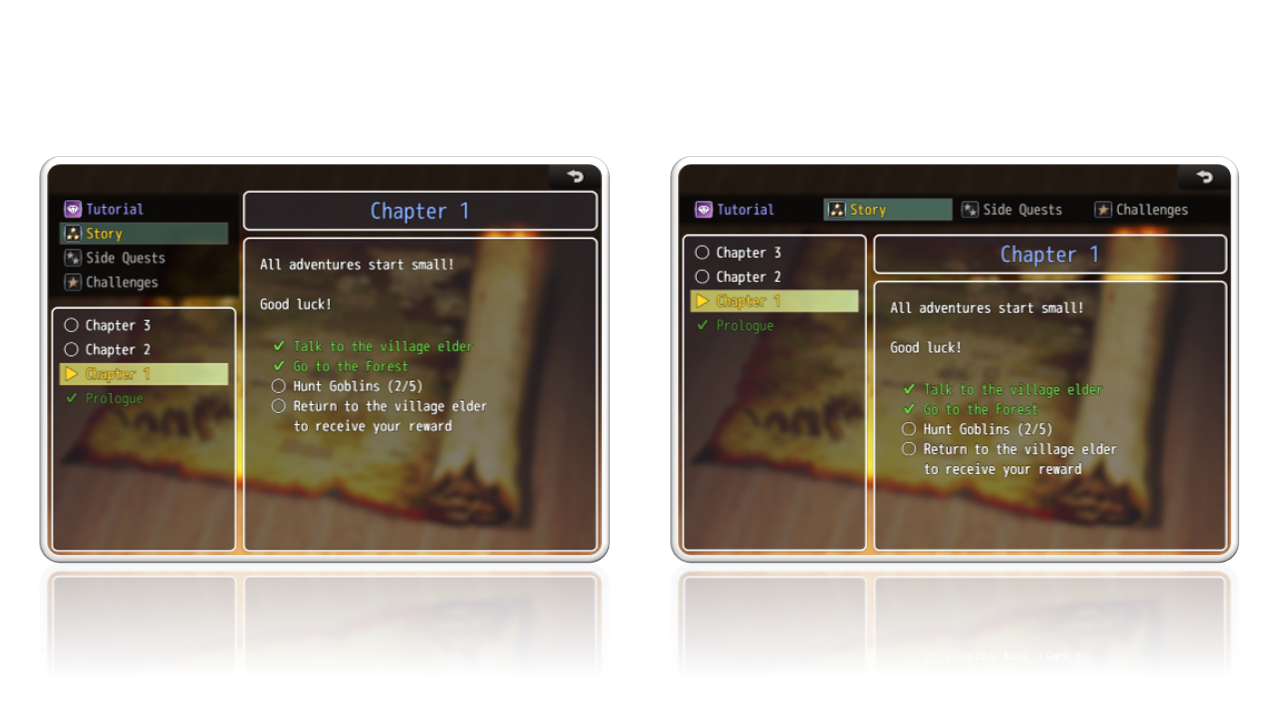
Of course, you can move around game windows as you wish!
How it works
Full instructions here: https://aerosys.blog/quest-log
- Include this plugin in your game
- Add the quest log to your in-game menu;
Read more: https://aerosys.blog/quest-log - Start your game and open the quest log
- Press F9 (debug key) to open the new toolbox
Which engine(s) are supported?
This plugin supports RPG Maker MZ and RPG Maker MV.
Requirements
This plugin requires https://aerosys.itch.io/custom-ui (free) to work.
Refund Policy
A refund is possible if you encounter an error or incompatibility that we cannot resolve.
Please send a message to mail@aerosys.blog.
Purchase
In order to download this Plugin you must purchase it at or above the minimum price of $10 USD. You will get access to the following files:
Comments
Log in with itch.io to leave a comment.
Time torment you a little, Aerosys. <3
Refer to the graphs for proper details.
1.
2.
3.
While I do not use icons in my tier-1 categories, I think the option for others to have icons right next to the titles instead of to the far left would be a nice addition (I had things set to 'centered' on this screenshot, I think). Categories here are from an earlier WIP (so it should read 'Story/Quests/Misc'). Pay it no mind.
There's 'entry type', 'entry subtype', 'description' and 'sub-description' (I know its not the way you named/intended them but its how Ill make use of your .JS!) I really like your plugin, Aerosys. <3 Everything is very easy to adjust and understand. I'll give you 5★.
Hey Nirriti,
first of all, thank you so much for your very detailed feedback!
Text Color Picker:
Yes, the text color picker uses fake colors. I always have to find a good balance between code complexity and actual results, and since most people don't change the color palette and the impact also isn't that much, I decided that the color picker uses static colors in its preview.
Blur:
I still don't know why this keeps happening, it's a completely different menu scene :/
Icons' positions:
To be fully transparent, that was a deliberate design choice to put icons to the far left. It came because most of the menus are top-to-bottom, and I always hated how Visustella didn't put the icons on the left when centering commands. It looks so "shuffled". However, I can certainly add more options, especially when a menu window is horizontal.
In the end,
thank you so much for deep-testing my plugins and making them better :)
Your plugin's documentation page (on your blog) are simple and descriptive. https://aerosys.blog/quest-log Saved it as a PDF just in case (never know). I'll review and give feedback on the plugin proper later, but I want to point something about your blog:
If you press 'X' on some of the highlighted tips (bell icon) the dropdown stays closed... PERMANENTLY! Even if I reload the page. Wiping off cookies related to your blog remedies this, but some might not know.
Hmm interesting, its a WordPress plugin so I cannot control it but I will try to reach out its creator.
Is this compatible with the Android port? I had tried other UI editors that were not compatible.
Please try it out with the main menu UI editor that available for free. When that plugin works, this will work as well.