[RPG Maker] WYSIWYG UI Editor - Item Menu
A downloadable Plugin
Unlike many other Plugins that allow you to customize your game's item menu, this one comes packed with a UI tool that lets you see your changes instantly!
This plugin is compatible with RPG Maker MV & MZ.
This plugin requires https://aerosys.itch.io/custom-ui (free) to work.
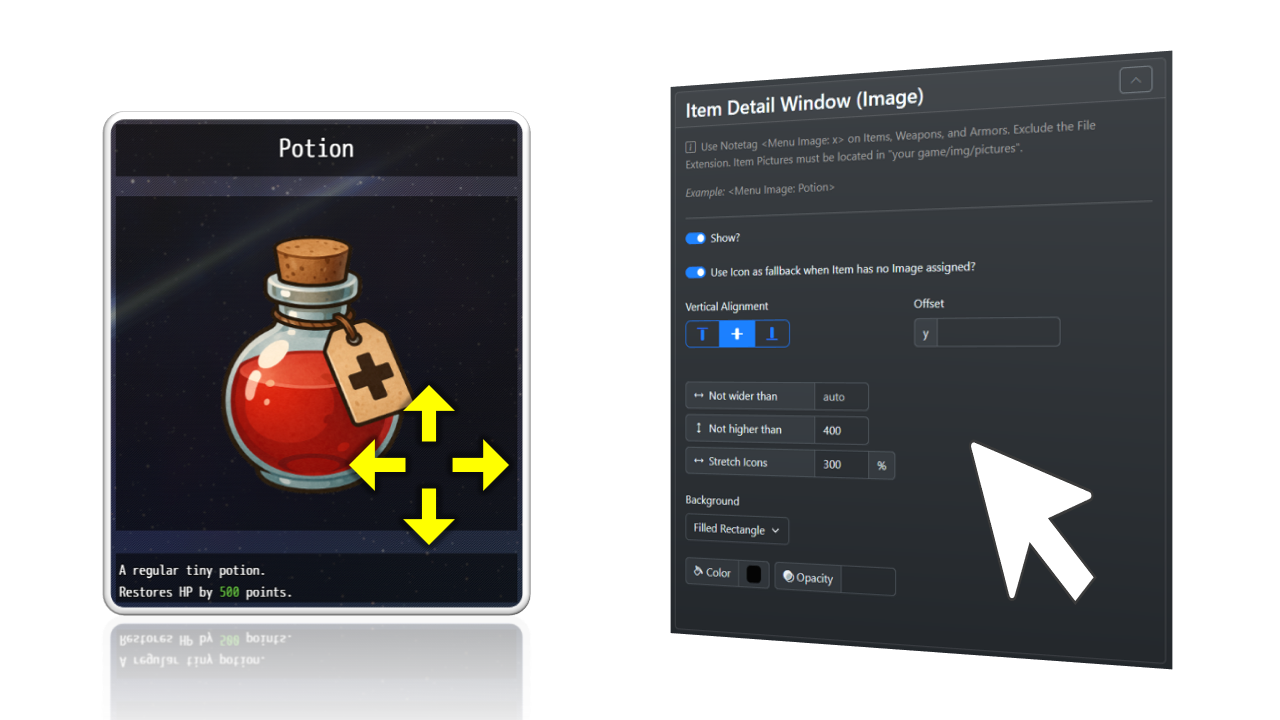
(Item Images are A.I.-generated, only for demonstration purposes)
Before you buy
This plugin is part of this bundle - save your money!
Features
- More than 10 pre-made window layout configurations
- ...or arrange all windows as you wish
- A new item inspection window to show your custom-made images for your items!
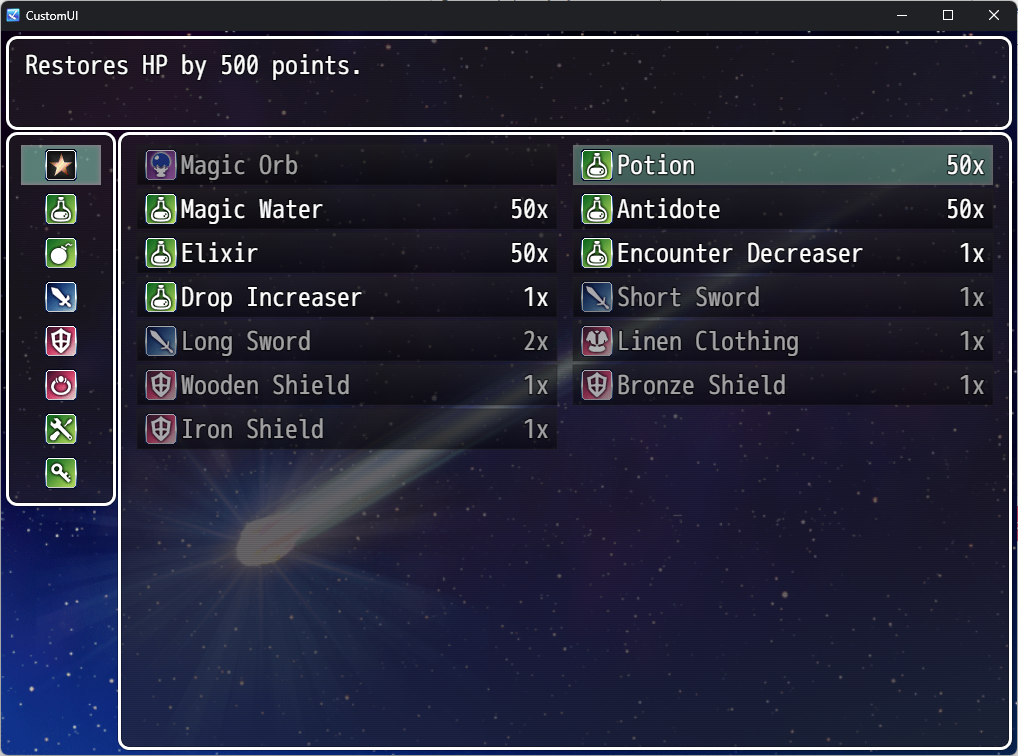
- A grid-style inventory list (if you wish)
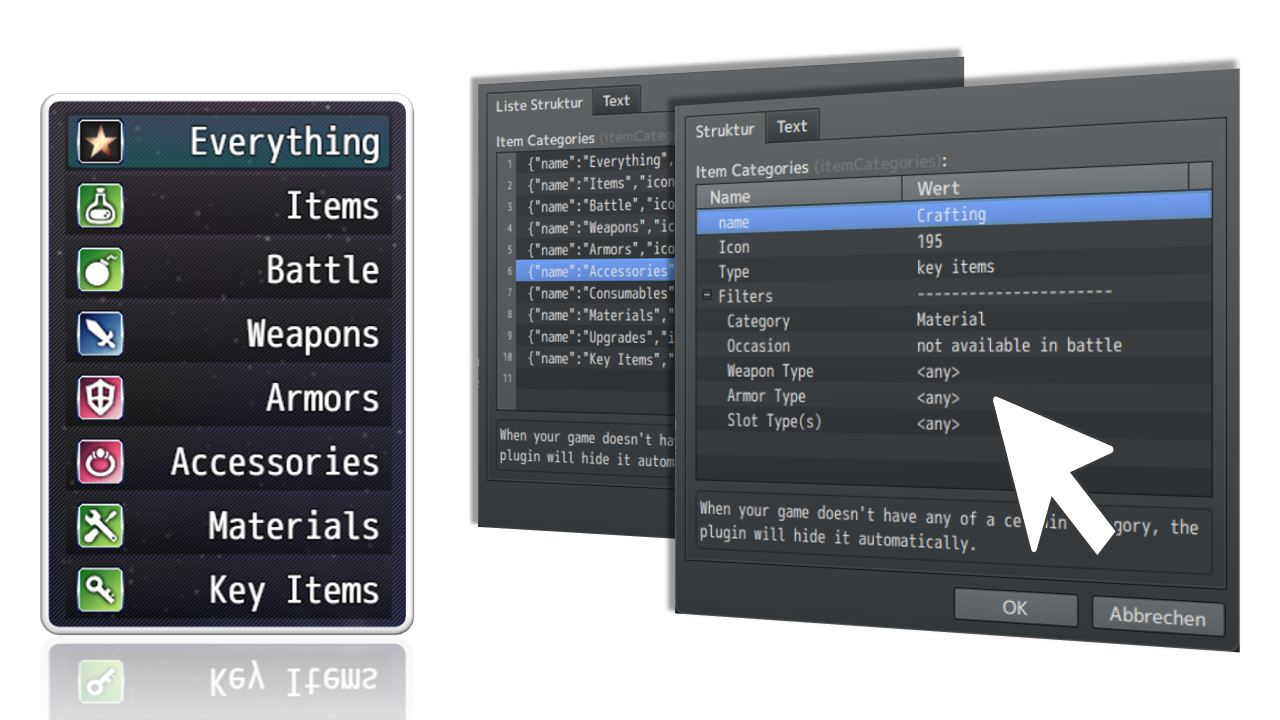
- Define item categories according to your rules (e.g., Materials, Battle Items, Accessoires, etc.)
- ...or remove the category selection at all (MZ only)
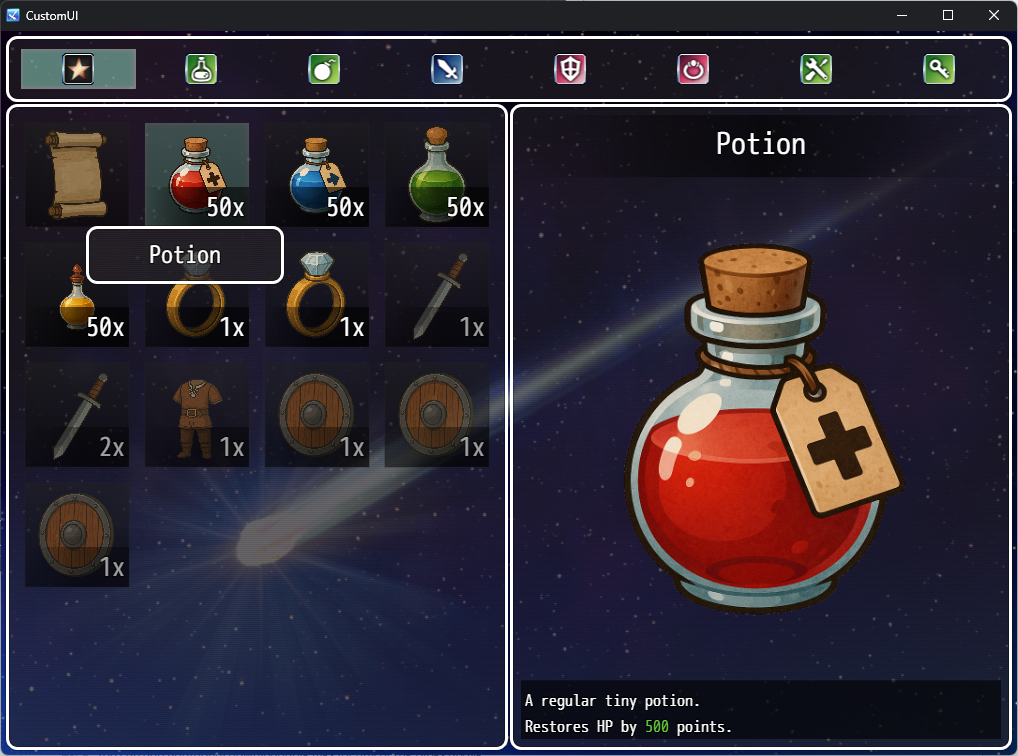
Item Detail Window
You already have a dozen of custom-made graphics for your items but don't know how to add them to your game? Now, you can with the new item detail window!
Arrange the item's name, image, and description just how you want them!
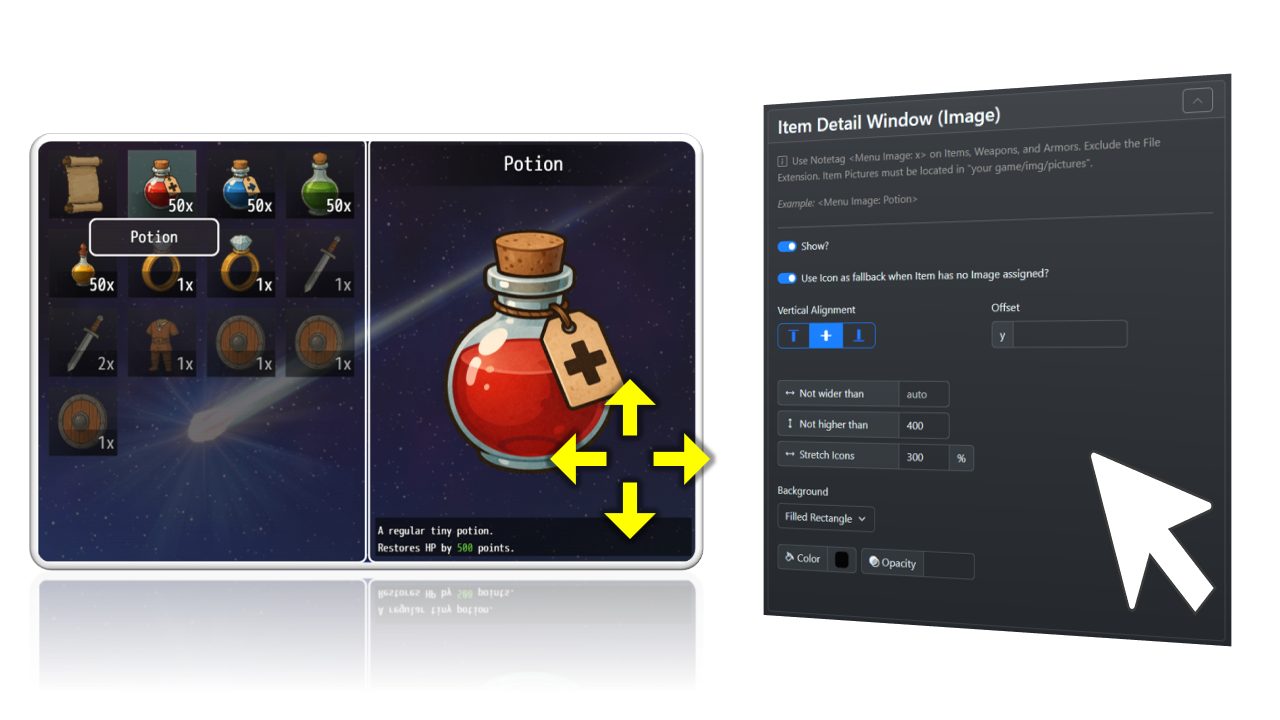
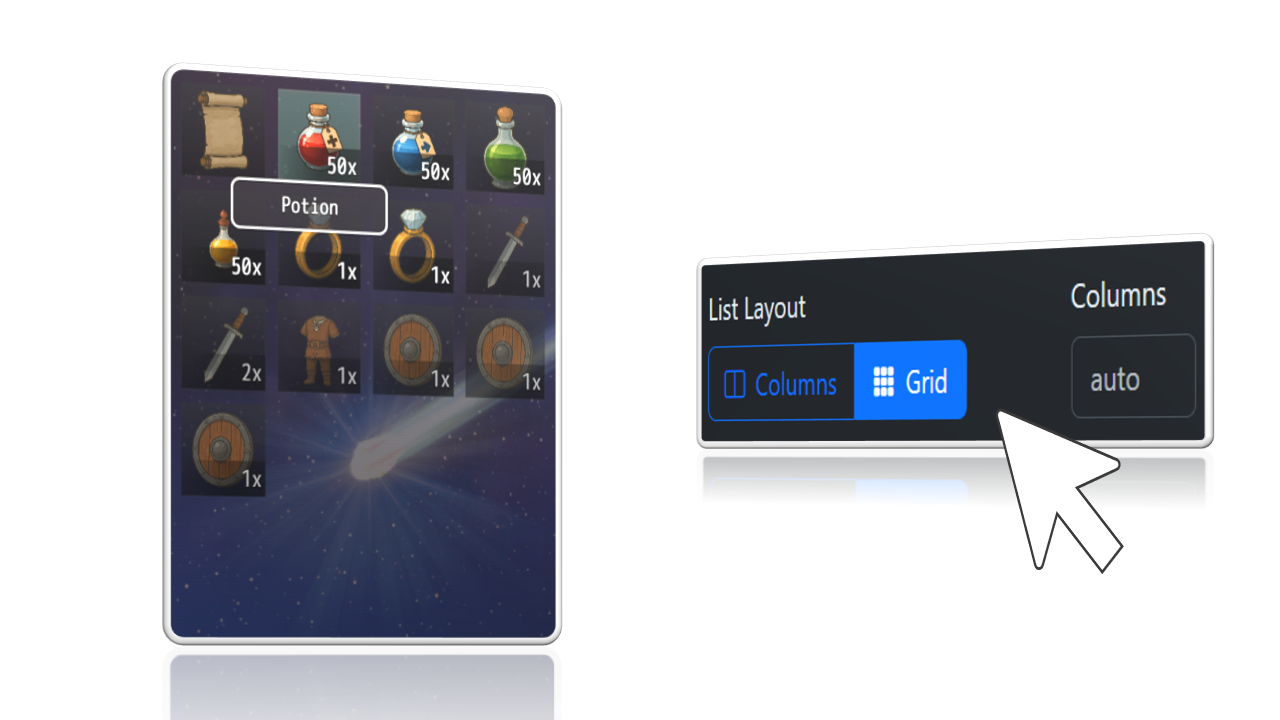
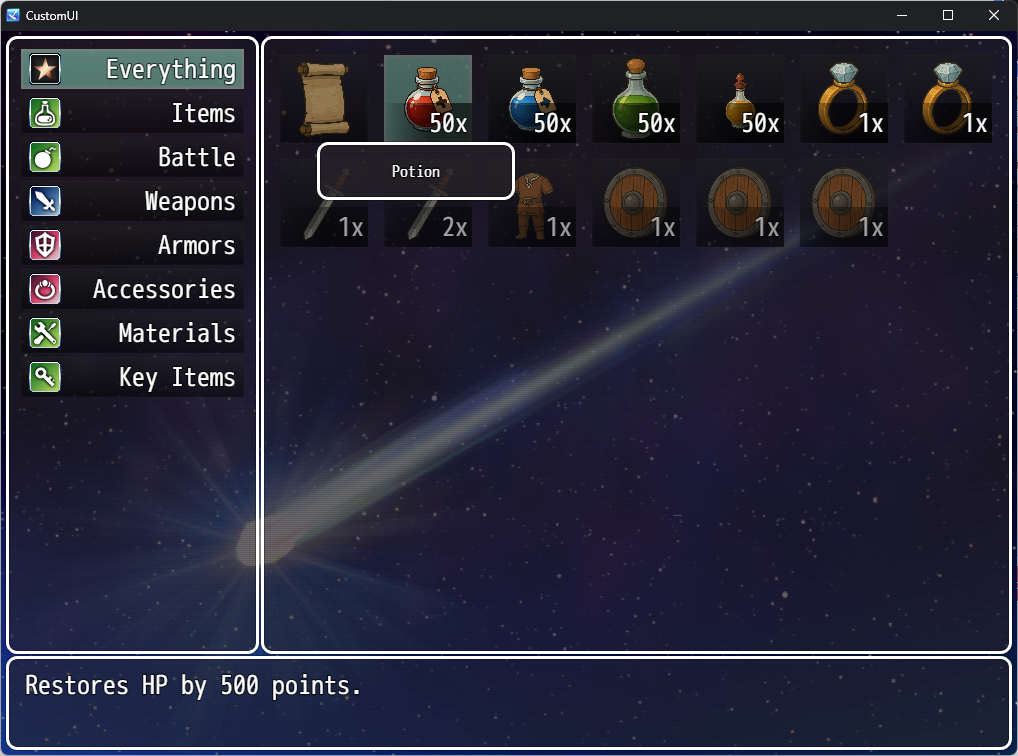
Grid Style
Change to Grid Style with just one click!
Put Categories to the side, allowing more space!
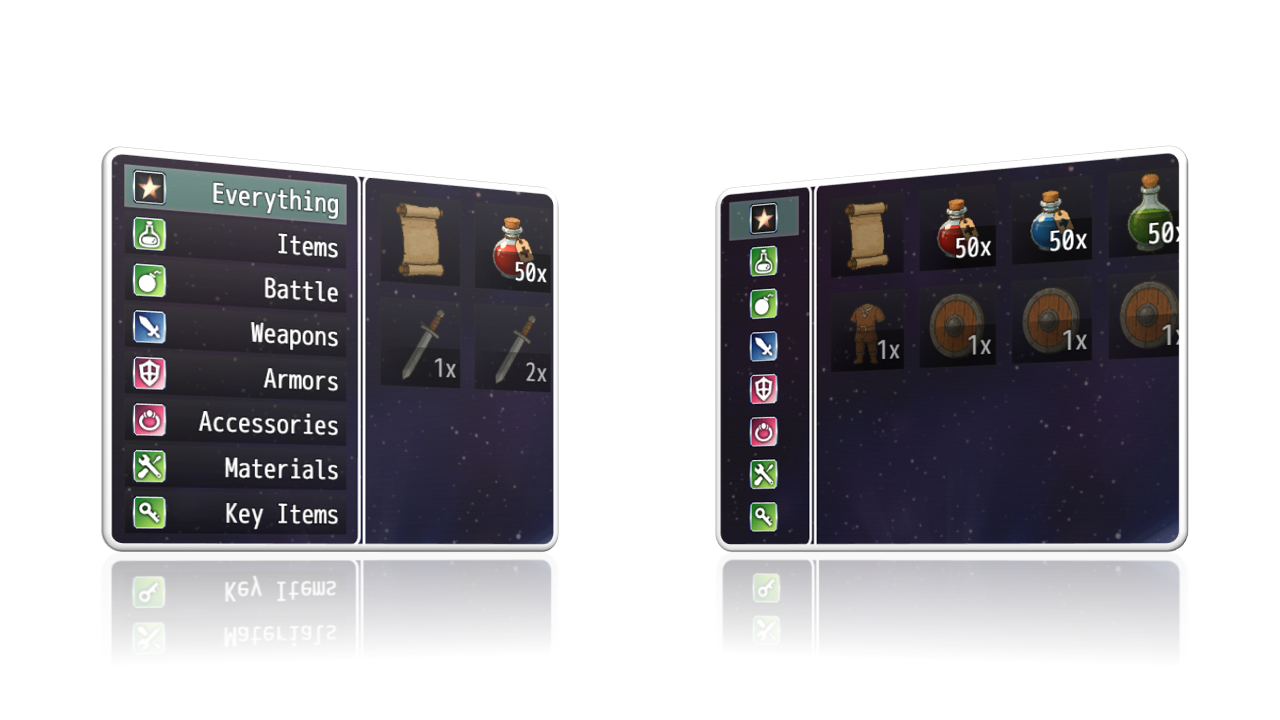
Re-arrange, add, and remove Categories!
How it works
- Include this plugin in your game
- Start your game and open the item menu
- Press F9 (debug key) to open the new toolbox
Which engine(s) are supported?
This plugin supports RPG Maker MZ and RPG Maker MV.
Limitations when using MV
- "Remove Category Window" is not supported
Requirements
This plugin requires https://aerosys.itch.io/custom-ui (free) to work.
Compatibility
This plugin was tested with the free Visustella plugins.
This plugin only changes window positions or adds content to your game. The risk of breaking is relatively low. Otherwise, contact me!
Refund Policy
A refund is possible if you encounter an error or incompatibility that we cannot resolve.
Please send a message to mail@aerosys.blog.
Purchase
In order to download this Plugin you must purchase it at or above the minimum price of $10 USD. You will get access to the following files:
Comments
Log in with itch.io to leave a comment.
Hey! Is there a way to maintain pixel sharpness with the grid menu? I've tried both icons and a separate image file where I upsize the icon myself, but no matter what, they come out blurry when in the menu (my own images much less so, but still blurry).
I already got some reports from other people with regards to these blurry images. I'm still looking for the cause and how to resolve it.
OK! I hope you can find it because otherwise, I'm loving this!
Hey! If it helps, I figured out a way to force my grid items to be pixel perfect (this was done via using a separate image for the items btw). After deciding how I big I wanted my grid menu to be, I checked what size the item icons were forced to be in the grid and simply made my separate image file that size (so my image files were 48x48, but it was forcing them to be 58x58 so I just made the canvas the correct size). Once I did that, my images kept their pixel perfect look.
It don't know if this will help you figure out the cause for the blurriness, but I figured I'd share at any rate!
That actually helps me a lot!
Thank you so much, making this plugin better :)
I wasnt sure at first, but I might make use of it. After all, your plugin allows users to easily edit the default categories (will merge all equipment into one simpler category). EDIT: Was able to merge these together, thanks to your 'slot-type' filter! Grateful for that! I use the engine's default option to hide key-items quantities (they are instead to be shown in one specific ItemID's description).
However, having more than 1 causes your plugin to auto-displays held KeyItem numbers, for that specific item! D: Could you add a toggle to hide it off for good?
Sure, I can add such an option for you!
I quickly added an option to hide the item count for key items, since it was a simple task for me. You will find the setting in the Plugin Manager.
It works!! I can strike that issue off my list.
Thank you very much, as always, Aerosys.
I know this is crazy but would it be possible to make a grid based inventory system? kinda like the one from RE4?
That would require a completely different approach of programming than this plugin is using, so I don't think I will implement it. If you find a grid based inventory plugin, you can of course ask me to make them compatible if needed
I saw you could add a custom image to the items by adding the note tag, do you have a example game that does this for reference, or can you give me additional details on how to do this? Thanks!
The notetags are explained in the respective tabs (Item List Window & Item Detail Window (Image). Basically, when your image file has the name "Potion.png" and is located in img/pictures/items, then the notetags are
The second one is used for the item inspection window on the right.
A sample game is not planned for this project as making some and keeping it up to date is a lot of additional work.
Is there a Preferred Size for the image?
The plugin will always stretch them automatically
thanks for being responsive. What a great plug-in!
HELLO! I have a little question. I added a tiny plugin to remove item counts, but the quantity background is still there in the inventory screen. Is there any way to remove this faded rectangle? Thanks
Create a new plugin file with any name, and paste this, OR, paste this right into the plugin that you already have:
/*: * @target MZ */ Window_ItemList.prototype.needsNumber = function(/* item */) { return false; };works perfectly! Thanks so much
Also how do I actually save the changes on the ui. It shows me the menu in MV but it doesnt actually save it.
Unfortunately, now it becomes trickier. I'm sorry if I gave you some false promise when you asked about the compatibility with YEP Skill Core, and you expected this to be true for YEP Item Core as well.
YEP Item Core is adding a lot of new windows that my plugin cannot control. I will see what I can do to make both plugins compatible, and then come back to you. Please give me some time.
If I cannot make it in a reasonable time, and the incompatibility turns out to be a deal breaker for you, I can also offer a refund, because a plugin that doesn't work in your game does not help either you or me.
that is alright your skill core works amazing and for me thats perfect. If you can make item core work that’d be perfect
Hey i wanted to ask ( i havent bought this plugin yet but soon) i saw custom item categories and i was wondering would that work in way if i have an cooking system that i could have an tab for ingredients and meals?
Yes, of course, you categorize items by putting the notetag <Category: X> whereas X stands for anything.
Hi Aerosys! Are you planning on creating UI editor plugins for Skills, Equipment, and Status scenes as well? :D
Yes, I want to do the equipment scene next. Still working on Battle right now
Hi, i just bought your Plugin. I noticed that when using an Item, like a Potion, the Actor Selector Scene uses the same Custom Image for the Main Menu. Would it be possible to set the Actor Selecting Scene to the default System Window?
I'm already working on it
I just bought your plugin, and something doesn't work.
I left only the Everything and Key Items Categories, and now, the categories don't show up anymore.
Sorry for this bug. I will fix it as soon as possible
Thank you :)
I saw no option to Define item categories.
Defining Item categories requires this plugin https://aerosys.itch.io/ui-custom-itemsWhen you are looking for a free plugin the Visustella is a poplar alternative.This option should be in the Plugin Manager -> this plugin
Thanks. Found Item Categories in Parameters.
😍😍😍😍😍
does this work with SRDs HUD maker for MV
When my free Menu Customizer plugin works with SRD's, this one will also work. Otherwise, contact me at mail@aerosys.blog
Instant buy!!! Fingers crossed for the Equip and Skills menu come soon! 🙏🏻 You rock
Looking forward to it also :)
WOW! Another game changer for RM scene, thank you Aerosys!