Action Hotbar for RPG Maker MV & MZ
A downloadable Plugin
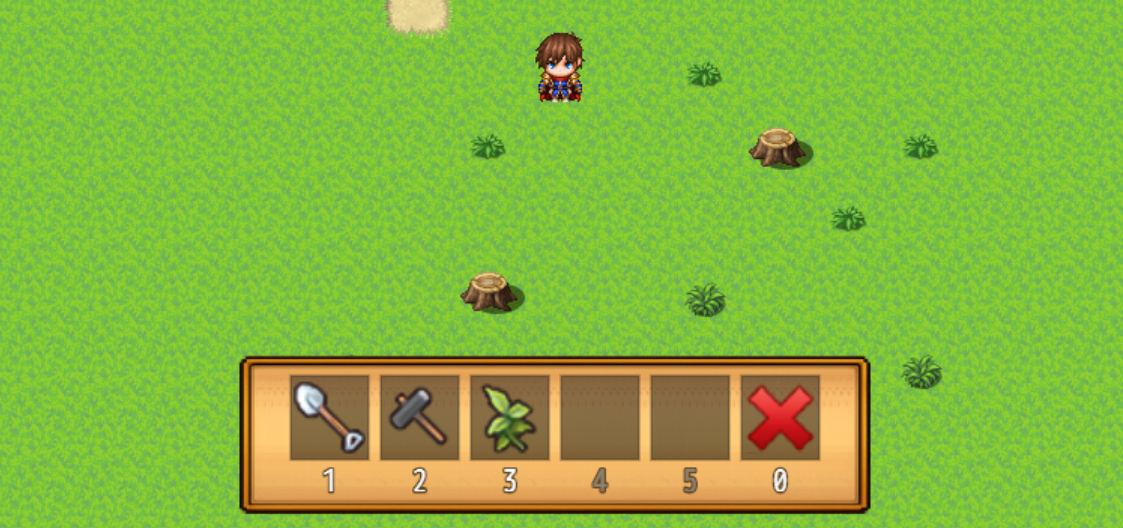
This plugin was designed to suit well with both action games, where you need instant access to many skills and items, and cozy games, where you have a large set of different tools.
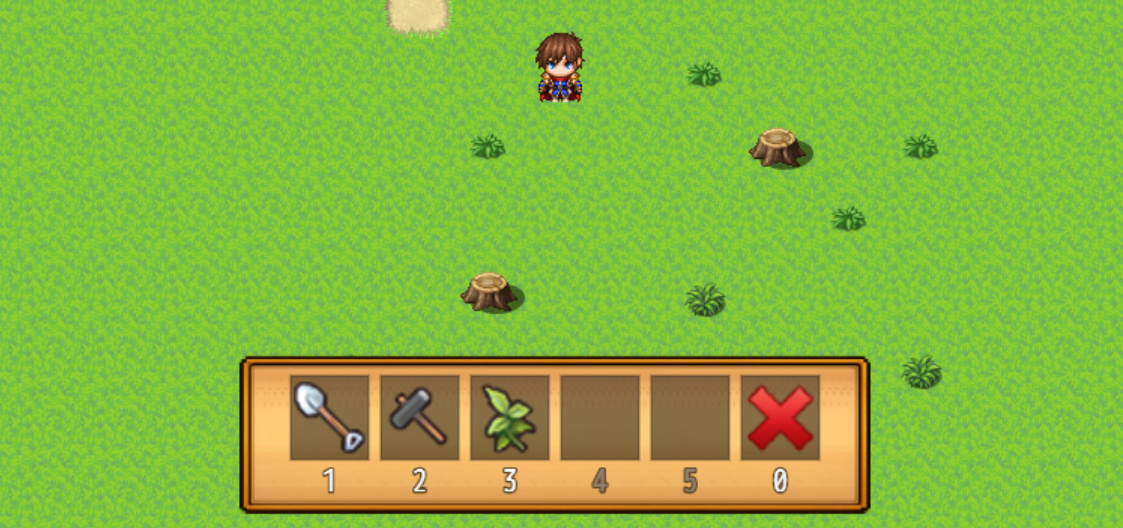
It's available for free and can be used in any game!
Features
- Mouse & Keyboard support
- Bind any key, not just 1-9 numbers, but also letters and special keys are allowed
- Bind
- items
- skills
- weapons
- armors
- common events
- Cooldowns
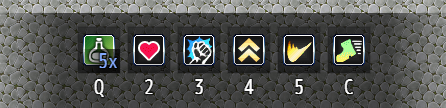
This plugin works best for solo actor games, as items and skills are always executed by the party leader.
Cooldowns
Cooldowns can be applied to items, skills, and common events.
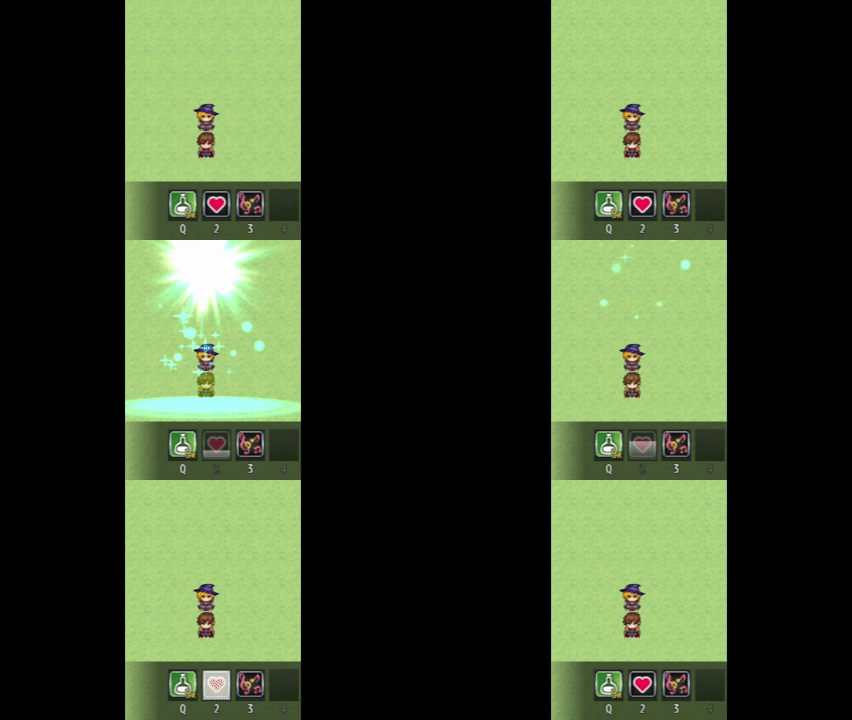
Note: Cooldowns function only on the hotbar. They do not prevent the player from entering the pause menu. You will need to block that with something else.
Hotbar Menu
The new hotbar menu lets the player choose which items, weapons, or skills they want to bring into the next mission.
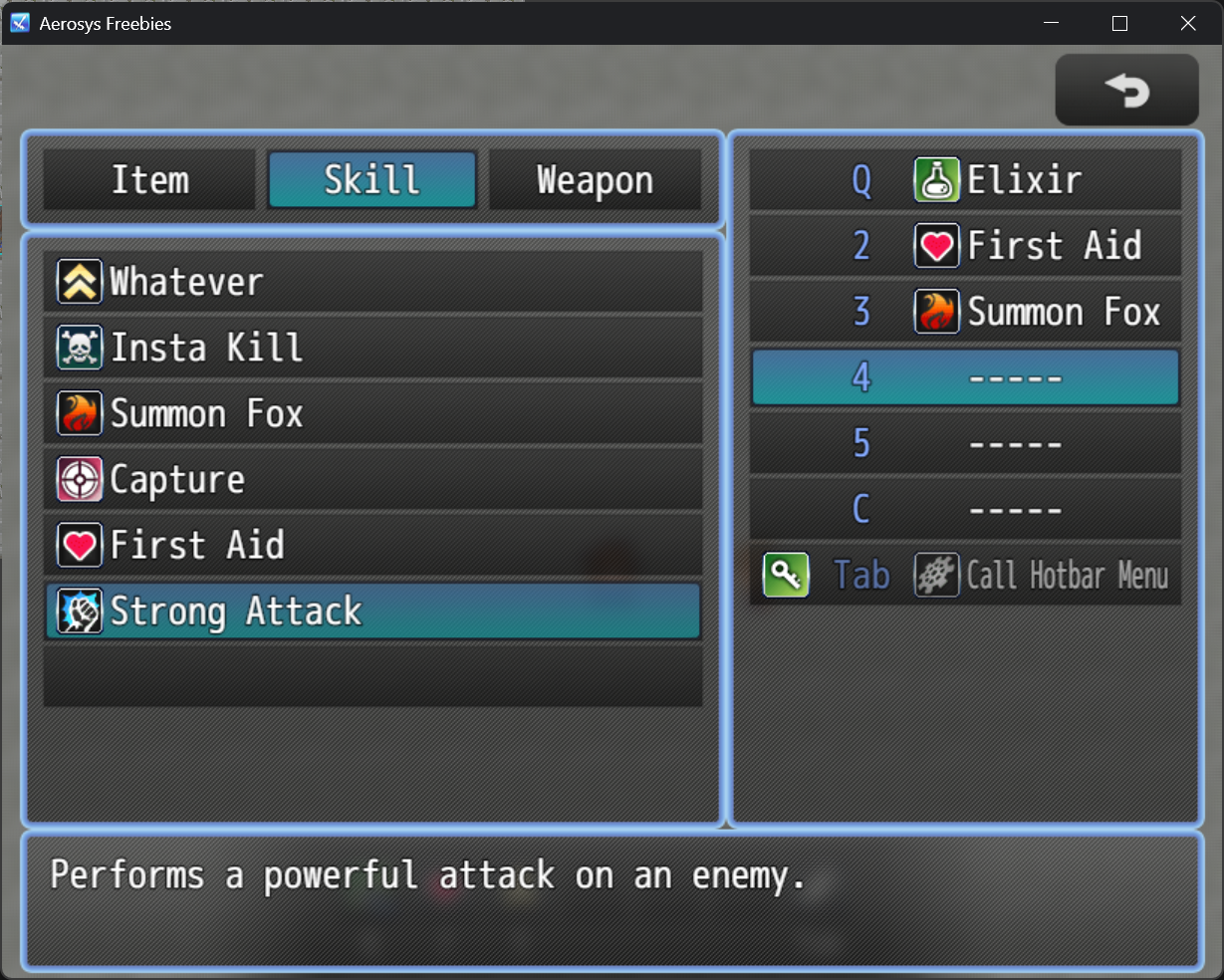
Note: The menu can display bound Common Events, but it doesn't allow them to be managed. Use non-consumable Items or Skills to call Common Events instead.
Instructions
Read more: https://aerosys.blog/action-hotbar
Download
Click download now to get access to the following files:
Development log
- 3 minor Features addedApr 14, 2026
Comments
Log in with itch.io to leave a comment.
Can I get item/skill ID used while using hotbar? Let's say I used item ID 1 from hotbar which runs common event, where I want to check if the used item ID=1, 2, 3 and so on.
I think, usually each hotbar slot should have its unique common event (whether it's called directly or via item/skill doesn't matter here), so I don't see the benefit yet.
However, I quickly made a plugin that puts the value of item/skill/equip/common event of the latest hotbar interaction into a Variable. Hope this helps!
Change the Variable ID at the top to your needs, and then save it as a plugin with any name.
/*: * @target MZ */ (function() { const variableId = 1; // <-- const _GameParty_onHotbarItemEquipWeapon = Game_Party.prototype.onHotbarItemEquipWeapon; Game_Party.prototype.onHotbarItemEquipWeapon = function(weaponId) { $gameVariables.setValue(variableId, weaponId); _GameParty_onHotbarItemEquipWeapon.call(this, weaponId); } const _GameParty_onHotbarItemEquipArmor = Game_Party.prototype.onHotbarItemEquipArmor; Game_Party.prototype.onHotbarItemEquipArmor = function(armorId) { $gameVariables.setValue(variableId, armorId); _GameParty_onHotbarItemEquipArmor.call(this, armorId); } const _GameParty_onHotbarItemRegularItem = Game_Party.prototype.onHotbarItemRegularItem; Game_Party.prototype.onHotbarItemRegularItem = function(itemId) { $gameVariables.setValue(variableId, itemId); _GameParty_onHotbarItemRegularItem.call(this, itemId); } const _GameParty_onHotbarItemCastSkill = Game_Party.prototype.onHotbarItemCastSkill; Game_Party.prototype.onHotbarItemCastSkill = function(skillId) { $gameVariables.setValue(variableId, skillId); _GameParty_onHotbarItemCastSkill.call(this, skillId); } const _GameParty_onHotbarItemCommonEvent = Game_Party.prototype.onHotbarItemCommonEvent; Game_Party.prototype.onHotbarItemCommonEvent = function(commonEventId) { $gameVariables.setValue(variableId, commonEventId); _GameParty_onHotbarItemCommonEvent.call(this, commonEventId); } })()Thank you so much, so nice of you! Works like a charm, exactly what I needed.
Hey Aerosys, can I have a little suggestion for the HotbarMenu? Would be perfect if after disabling other categories and had just one (for example only "items" to choose from for hotbar), the window on left for selection would disable the "category select" window. I mean instead of having to select "items" and then the proper item, it goes to selecting proper item (because it has only "items" category). Thank you for considering this.
Yes, actually I had the same idea, and I'm already working on it :)
Cool!! Can't wait :)
Here you go!
3 minor Features added - Action Hotbar for RPG Maker MV & MZ by Aerosys
Lol, how fast was that...THANK YOU.
I am probably stupid, but how can I bind items to the slots? ^^'
Either by plugin command or script call, these are explained here: https://aerosys.blog/action-hotbar
Thank you.
You've added binding option, didn't you? I mean the new screenshot :D I can't wait for that!
Oh yes, thanks for notifying me. I somehow managed to add a new screenshot while forgetting to add the plugin itself. Now, it's in the download section :)
Haha, I was kinda confused because it was 3h ago and no update ^^' Thank you!
I can't thank you enough for the plugin! It's working like a charm. 😄